Dedicated physical Mac mini

Cloud Mac. fully dedicated
not a virtual machine.

A remote Mac desktop for iOS and macOS development, automated builds, AI experiments, and audio/video processing. Each order includes dedicated chip, memory, storage, and system access, with connection available about four minutes after payment confirmation.

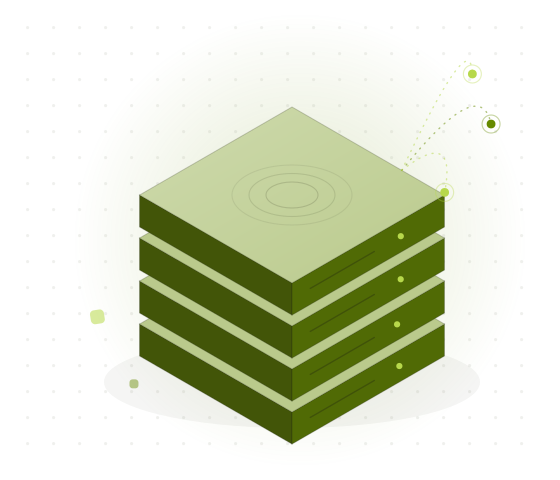
Illustration of an isometric cloud cluster made up of multiple physical Mac mini nodes
NODE / JP-TYOREADY · 34ms
RESOURCE BOUNDARY1 TENANT / 1 MAC
PROVISIONING03:42 / CONNECTED
MACHINEMac mini M4
MEMORY / STORAGE16GB / 256GB
REGIONSSG · JP · KR · HK · US-W
STARTING PRICE$20.1 / day

Remote access

Connect your way.01

Use the remote Mac desktop when you need a graphical interface, and SSH for scripts and pipelines. Choose macOS Screen Sharing or a compatible VNC client based on your local device and network.

Desktop

macOS Screen Sharing

Access the full graphical interface from another Mac for Xcode debugging, dependency setup, signing, archiving, and development tasks that require live status visibility.

Before connecting for the first time, prepare the node address, system account, and temporary credentials. After connecting, update the credentials and verify keyboard layout, resolution, and clipboard behavior.

NATIVE CLIENT / INTERACTIVE

VNC

Cross-platform remote desktop

Use VNC from Windows, Linux, or another compatible client to operate your cloud Mac. Ideal when you need Mac remote access but your local environment is not macOS.

If latency increases, reduce resolution, color depth, and frame rate in that order, and pause large background file transfers. For interactive work, choose a node closer to your client.

CONFIGURABLE QUALITY

SSH

Command line & automation

Run scripts, xcodebuild, fastlane, or a self-hosted runner with key-based authentication. Ideal for CI/CD, batch testing, and unattended builds.

For automation, use a dedicated working directory, pin tool versions and cache paths, and check build logs, key permissions, and exit codes.

KEY AUTH / AUTOMATION

Recommendation:Use Screen Sharing or VNC first for graphical debugging; use SSH first for repeat builds, testing, and artifact uploads. Keep both connection types available, using SSH to check network, disk, and process status when needed.
PHYSICAL NODE / M4REV. 01
M4
16GB
MEMORY
256GB
SSD
ADMIN
ACCESS

Resource boundary

One order, one complete physical Mac mini.02

This is neither a shared instance nor partitioned virtual capacity. Each tenant gets exclusive use of the Mac mini’s chip, memory, local storage, and system environment; no other tenant enters the same resource boundary.

COMPUTE
Dedicated Apple M4 chip.Continuous builds, tests, and inference jobs do not compete with other tenants for compute on the same device.
MEMORY
Dedicated 16GB unified memory.Usable capacity varies with macOS, development tools, simulators, and active processes. Assess against peak load before ordering.
STORAGE
256GB SSD to start.Add a 1TB or 2TB SSD for the same rental term. Leave room to clean up large dependency caches, models, and proxy media.
PERMISSION
Independent system account and permission boundary.The full macOS graphical interface and command line are available. Tenants manage project files, keys, signing materials, and temporary access permissions.
NETWORK
VNC, Screen Sharing, and SSH for different connection needs.Remote desktop experience is mainly affected by round-trip latency between the client and node. Build workflows also depend on repository and artifact paths.
OPERATION
All nodes run normally 365 days a year.Ordering, renewal, credential access, and node management are handled through the console.

M4 Core plan

Fixed specs. Fixed USD pricing.03

M4 Core is the current fixed model. Daily, weekly, monthly, and quarterly terms use the same hardware; only the rental period changes. Actual regional availability is confirmed by inventory at checkout.

Available

M4 Core

MAC MINI M4 · 16GB RAM · 256GB SSD

$100.4
USD / MONTH
DAY$20.1
WEEK$54.2
MONTH$100.4
QUARTER$273.1
Add-onDayWeekMonthQuarter
+1TB SSD$2.7$7.2$13.3$36.2
+2TB SSD$5.4$14.4$26.6$72.4
Thunderbolt 5 link / per Mac$1.1$3$5.5$15

Thunderbolt 5 linking is suited to workflows that coordinate multiple physical nodes, such as split builds, parallel testing, or high-speed transfers between nodes. Confirm device count, software scheduling, and data-sync paths before ordering.

Timeline steps

From payment to remote access in about four minutes.04

The times below describe a typical automated delivery flow. Inventory, payment confirmation speed, and current initialization status affect the actual completion time.

  1. 01

    Payment confirmation

    Verify the order amount, USD settlement details, and payment status.

  2. 02

    Node allocation

    Reserve an available physical Mac mini in the selected region.

  3. 03

    System initialization

    Prepare the macOS environment, system account boundary, and remote access services.

  4. 04

    Credential generation

    Issue temporary credentials and record connection details in node management records.

  5. 05

    Remote connection

    Complete the initial access check using Screen Sharing, VNC, or SSH.

TOTAL / TYPICAL≈04:00
minid — zsh — 98×28
$ ssh minid@jp-tyo.node
Authenticating with public key...
MiniDeploy physical node / M4
macOS 15.x · arm64 · status: ready

$ xcodebuild test -scheme App
Resolve Package Graph
CompileSwiftSources normal arm64
** TEST SUCCEEDED **

$ fastlane upload
Uploading signed archive...
✓ Build delivered

Use cases

Four workflows, one controllable Mac environment.05

From task inputs through cloud execution to artifact output, teams configure tool versions, caching, working directories, and account permissions according to their engineering standards.

UC / 01

iOS / macOS development

Open Xcode remotely for dependency installation, debugging, signing, archiving, and TestFlight distribution. Ideal for developers without a continuously available local Mac.

View the development workflow →
UC / 02

CI/CD builds

Register a self-hosted runner, run tests, xcodebuild, and fastlane, and send logs and artifacts back to your existing pipeline.

View the build workflow →
UC / 03

AI experiments

Set up Python, dependencies, and model environments to run local inference on dedicated Apple Silicon resources while recording latency, memory, and throughput.

View the experiment workflow →
UC / 04

Audio/video workflows

Sync proxy media first, then edit, render, and encode remotely before returning output files to team storage, avoiding large source-file transfers during interactive work.

View the media workflow →
STEP 01 / DATA

Sync data from your local Mac

Migrate code, dependency manifests, and required media. Handle keys, signing materials, and production configuration separately, then verify permissions after transfer.

STEP 02 / TOOLCHAIN

Recreate the toolchain

Pin Xcode, SDK, package manager, and build component versions, then validate a reproducible build from the same commit.

STEP 03 / CI

Connect automation

Register the runner, isolate the working directory, set cache cleanup rules, and check build certificates, exit codes, and log retention.

Regions & latency

Choose a node closer to your workflow.06

Available regions include Singapore, Tokyo, Seoul, Hong Kong, and the western United States. For remote desktops, prioritize round-trip latency; CI/CD also depends on repository, dependency-source, and artifact-storage locations.

ModelSGJPKRHKUS-W
M4 Core
Client citySGJPKRHKUS-W
Shanghai78ms43ms46ms31ms151ms
Taipei66ms34ms52ms24ms128ms
Los Angeles174ms112ms139ms151ms29ms

ICMP RTT · residential local carriers · 20:00–22:00 · median of 10 measurements per route. Data compares node directions; actual results vary with client connection, routing, and time of day.

Check node inventory and latency →

Control & billing

Manage ordering, renewals, and nodes in one place.07

The console is the central entry point for resource operations. Choose a node, term, and add-ons before ordering; after delivery, view connection details and renew or manage the resource during the rental term.

Order

Before ordering

  1. Confirm that M4 Core’s 16GB memory and 256GB SSD cover peak load.
  2. Choose a region based on remote desktop latency or the CI service path.
  3. Choose a daily, weekly, monthly, or quarterly term and review storage and Thunderbolt 5 add-ons.
Operate

After delivery

  1. Get the node address, system account, and temporary credentials.
  2. Complete the first VNC, Screen Sharing, or SSH connection.
  3. Update credentials and configure access sources, the toolchain, and working directory.
Renew

During the rental term

  1. Check order, node, and term status in the console.
  2. Confirm the USD amount and currently available payment gateway before renewal.
  3. Move project data, keys, logs, and build artifacts out before the rental term ends.
Unified management

Use the console to order, renew, view node connection details, and manage existing resources.

Go to the console →

Payment facts

USD-only pricing with clear payment channels.08

Order prices and add-ons are displayed in USD. The available gateway is determined by the console response.

USDT-TRC20

Cryptocurrency payment

After selecting USDT-TRC20, pay using the details shown for the order. Verify the network, amount, and order status before submitting, then wait for payment confirmation before node allocation begins.

VISA / MASTERCARD / AMEX

Bank card payment

Visa, Mastercard, and Amex payments are processed by Stripe. Orders remain settled in USD, and the physical node in the selected region is reserved after payment confirmation.

In short:Only USDT-TRC20 and Visa / Mastercard / Amex via Stripe are supported. Every order is settled in USD.

Knowledge updates

Connection, build, and performance notes.09

From remote desktops and Xcode builds to CI/CD and Apple Silicon experiments, we document reproducible technical workflows with test conditions, step-by-step procedures, and practical limits.

Diagnose Cloud Mac Build and Signing Failures with macOS Unified Logging

A reproducible workflow for correlating build output with system events, filtering noise, and preparing a sanitized diagnostic archive.

Read on the blog →

Connect a local API to a cloud Mac with an SSH reverse tunnel

Connect a cloud Mac to an API on your development computer without publishing it to the internet. Follow the SSH setup, verification steps, and failure checks.

Read the article →

Keep Remote Mac Jobs Running After SSH Disconnects

Decouple long builds, tests, and processing jobs from the SSH connection, then recover the same tmux session and verify the result after a disconnect.

Read the article →

Glossary mini

Align connection and resource terminology first.10

These terms distinguish hardware boundaries, connection protocols, and automated execution methods, making it easier to describe the same setup when ordering or troubleshooting.

Physical node
A real Mac mini that can be independently allocated and run macOS.
Dedicated
A single tenant uses the complete machine’s compute, memory, local storage, and system environment.
Cloud Mac
A physical macOS device hosted on a remote node and accessed over a network.
VNC
A remote access protocol for viewing and operating a graphical desktop across platforms.
SSH
A protocol for secure command-line access, scripts, and automated execution.
self-hosted runner
An independent execution node managed by a team to receive CI jobs.
Toolchain
The combination of Xcode, SDKs, dependencies, signing components, and build scripts.
Node latency
The time required for one network round trip between the client and remote node.

Selected FAQ

Five things to confirm before ordering.

Confirm the resource type, delivery time, payment options, node selection, and first-connection requirements before deciding whether it fits your workload.

Is the delivered environment a virtual machine?
No. Each valid order corresponds to one dedicated physical Mac mini. Its chip, 16GB unified memory, starting 256GB local SSD storage, and system environment are not shared with other tenants.
How soon can I connect?
The typical flow takes about four minutes, including payment confirmation, node allocation, system initialization, credential generation, and the first connection. Inventory and payment confirmation speed may affect the actual time.
Which payment methods are supported?
Only USDT-TRC20 and Visa / Mastercard / Amex processed by Stripe are supported. All orders are settled in USD; the available gateway is determined by the console response.
Which node should I choose for remote desktop access?
Compare round-trip latency from your client to Singapore, Tokyo, Seoul, Hong Kong, and the western United States first. CI/CD workloads should also consider repository, dependency-source, and artifact-storage locations.
Where are ordering, renewals, and node management handled?
Use the console for everything. Before the first connection, prepare the node address, system account, temporary credentials, and an SSH, VNC, or Screen Sharing client. Update credentials and check access sources promptly after connecting.

Ready when allocated

Connect to a truly dedicated
cloud Mac.

Check the M4 Core specs, node, rental term, and add-ons on the plans page first. Visit the support page when you need to verify connection tools and credential requirements.